 Culminate Life
Parties and roles
Set up parties for any team (broadcast, security, event ops) and decide what each role hears when they join and where they can talk. Templates add a whole team at once.
A wireless intercom on the phones your crew already carry, run from one Mac, for $25 a month.
| Before | With Intercom |
|---|---|
| Belt packs and a base station to buy, charge, and keep track of | The phones and headsets your crew already carry |
| Cable or radio coverage to plan for every position | Your Wi-Fi in the building, and cellular when they’re away |
| Tally lights wired to each camera | Tally from your ATEM, full screen on each operator’s phone |
| Anyone away from the building is out of the loop | A producer at home can join through our relay |
Talk, listen, take a cue, and see when you’re live.
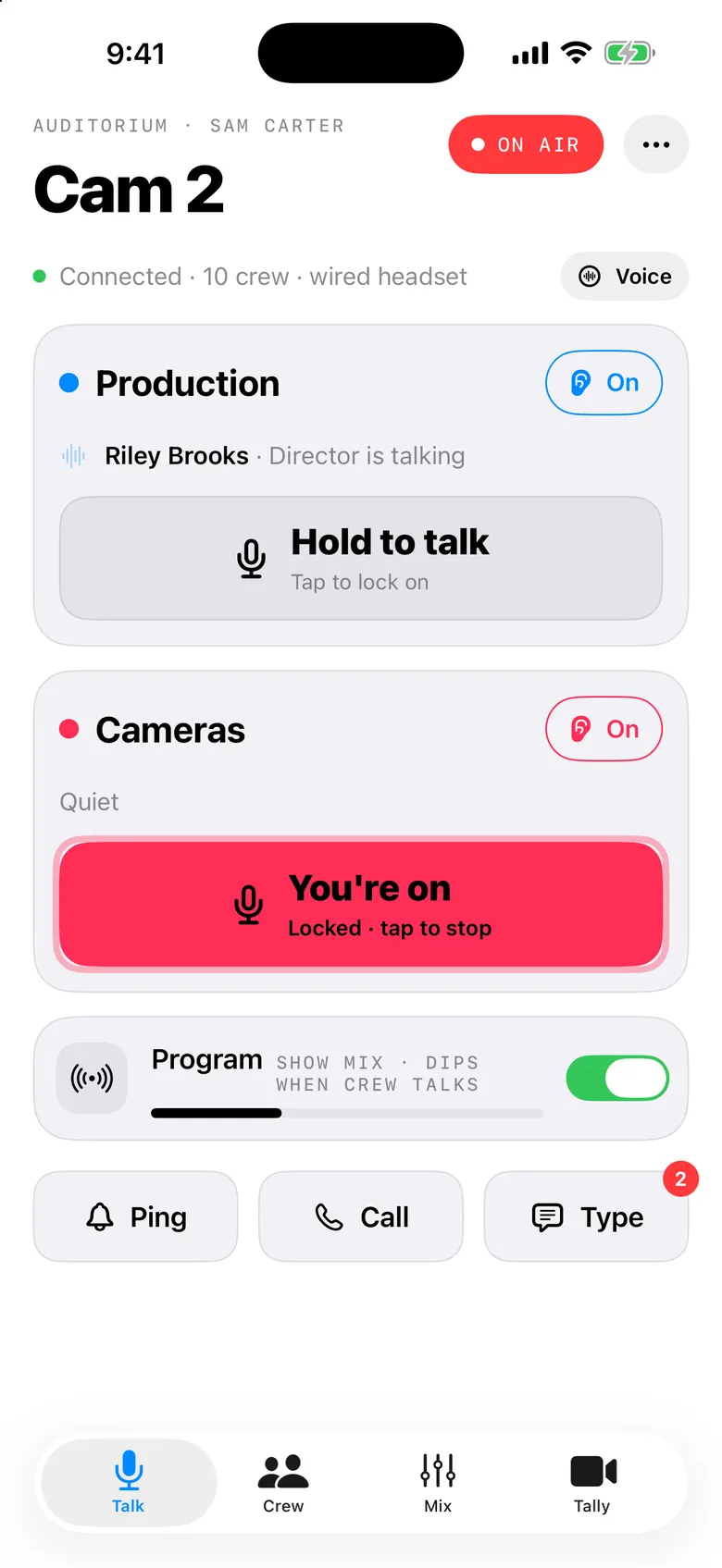
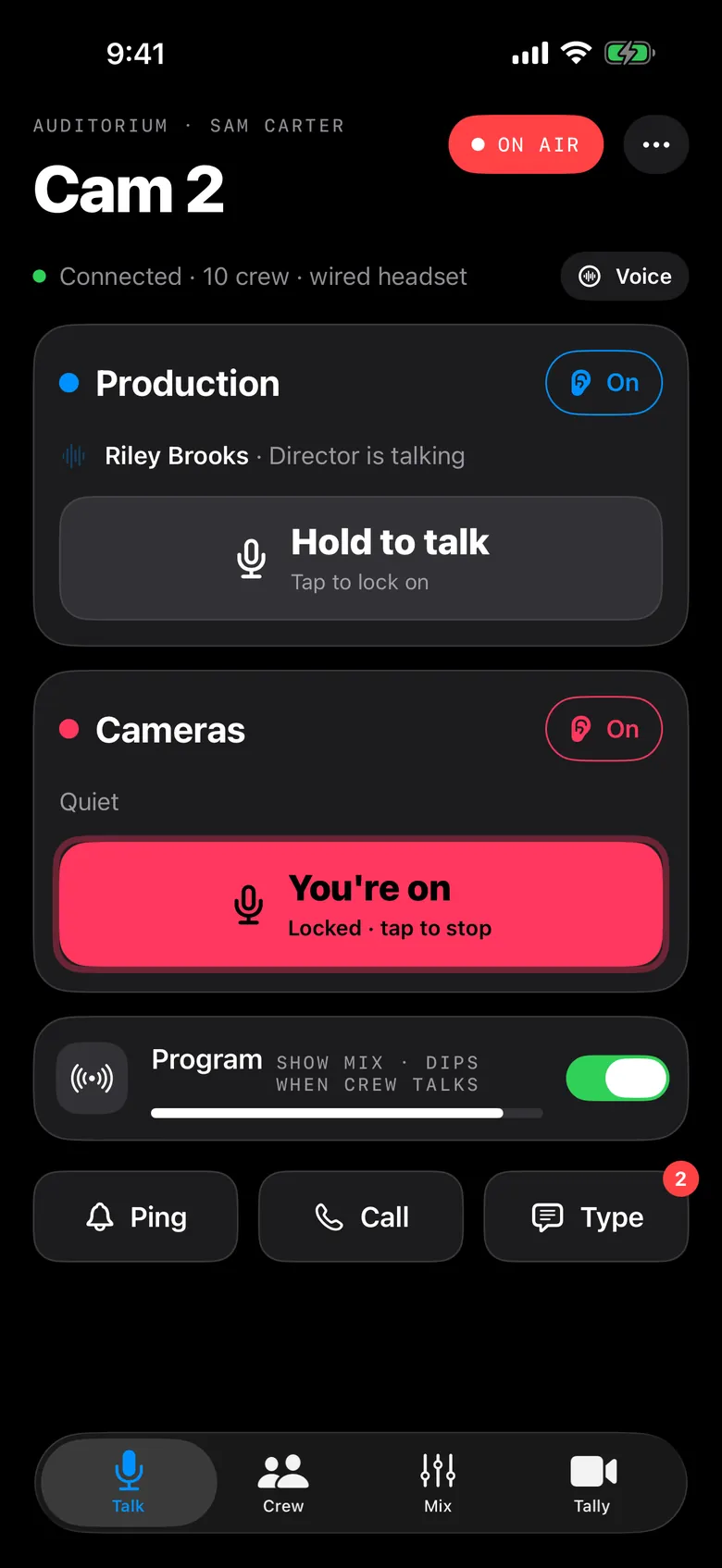
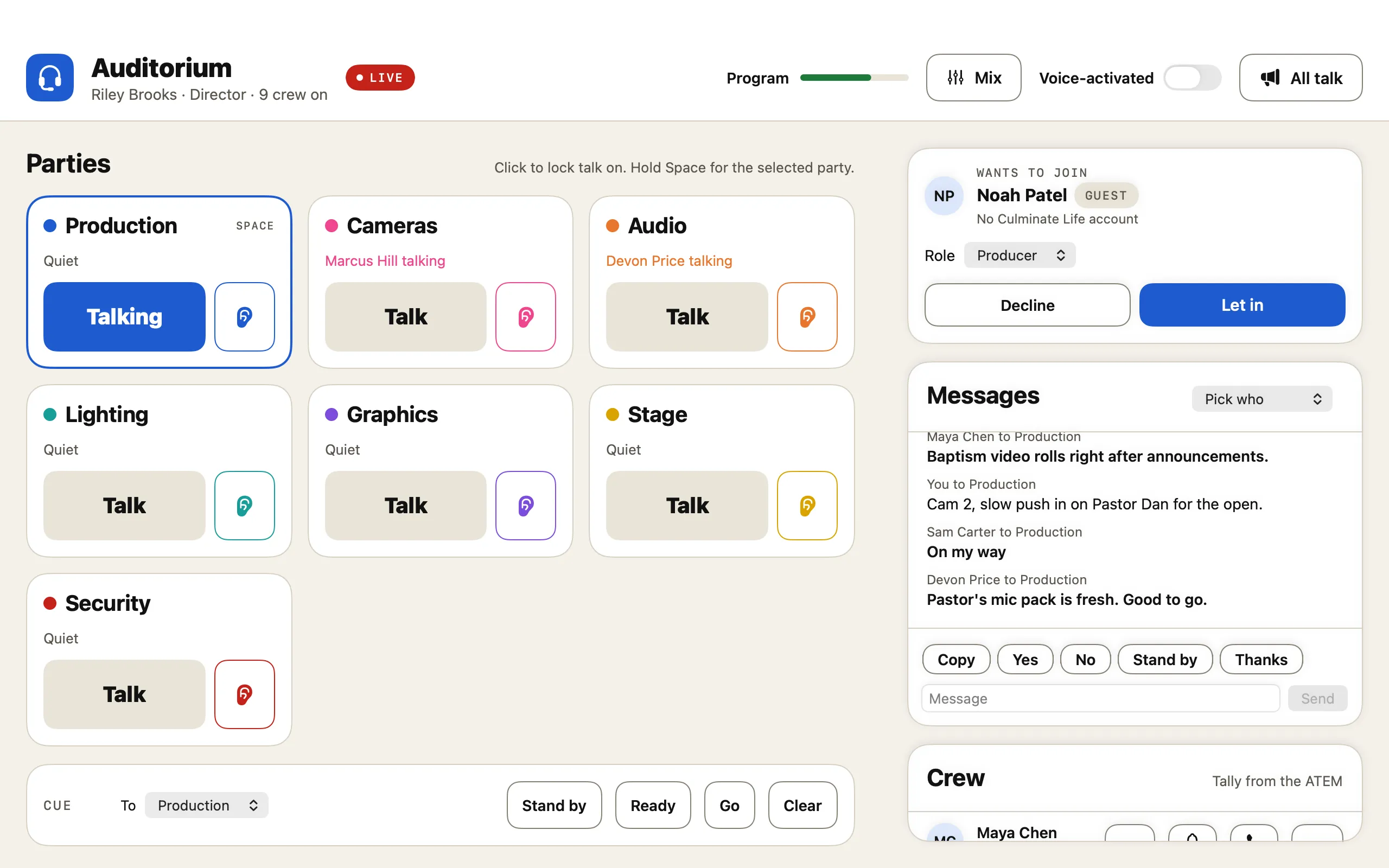
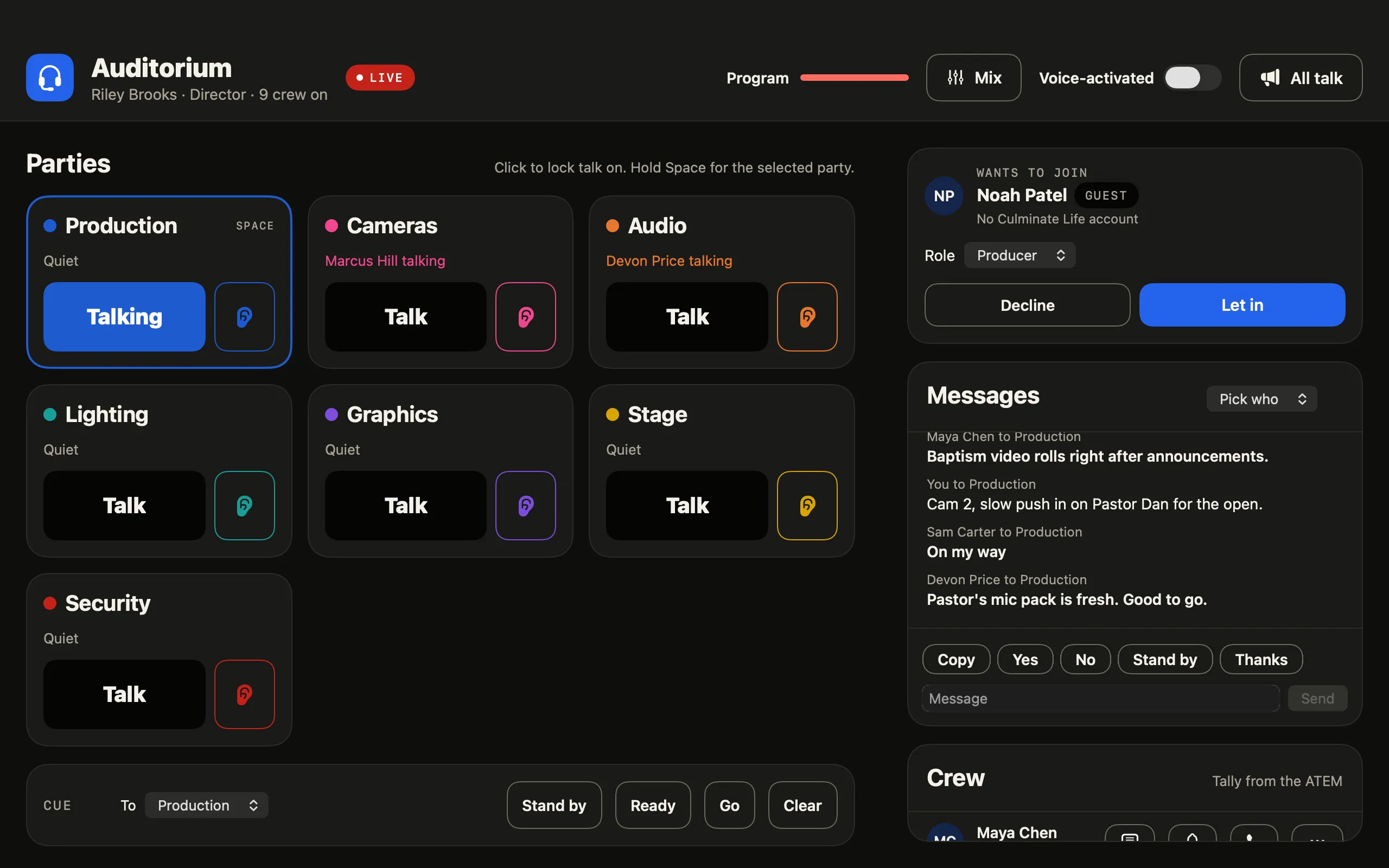
Production, cameras, audio, lighting, and graphics each get their own party. Hold to talk, or tap to lock your mic on, and turn each party’s listen on or off.
The director sees every party, talks to all of them at once, and sends Stand by, Ready, Go, and Clear cues that show as a banner and are spoken in the crew’s headsets.
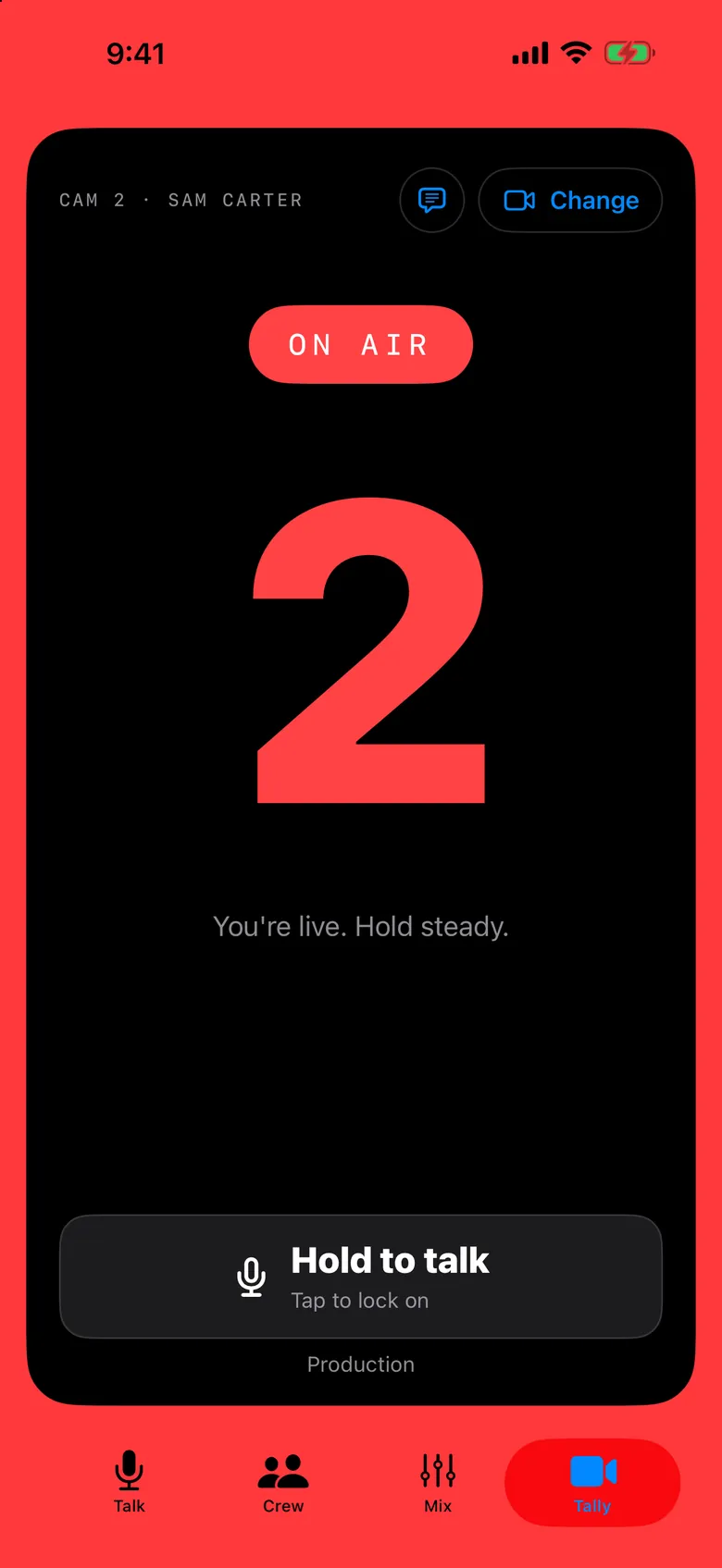
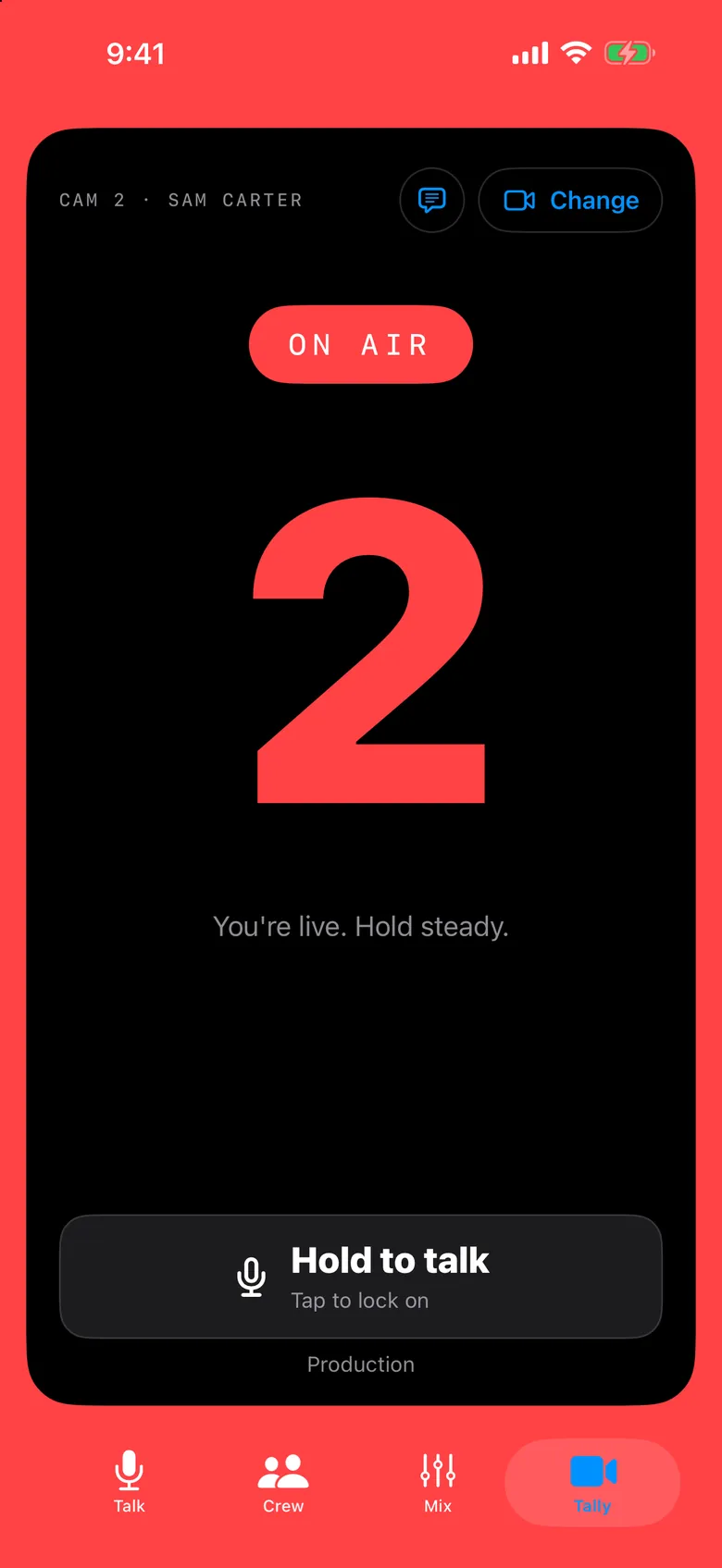
The Hub follows your Blackmagic ATEM switcher. Camera operators pick their camera and the phone turns full-screen red when they’re on air and green when they’re next.
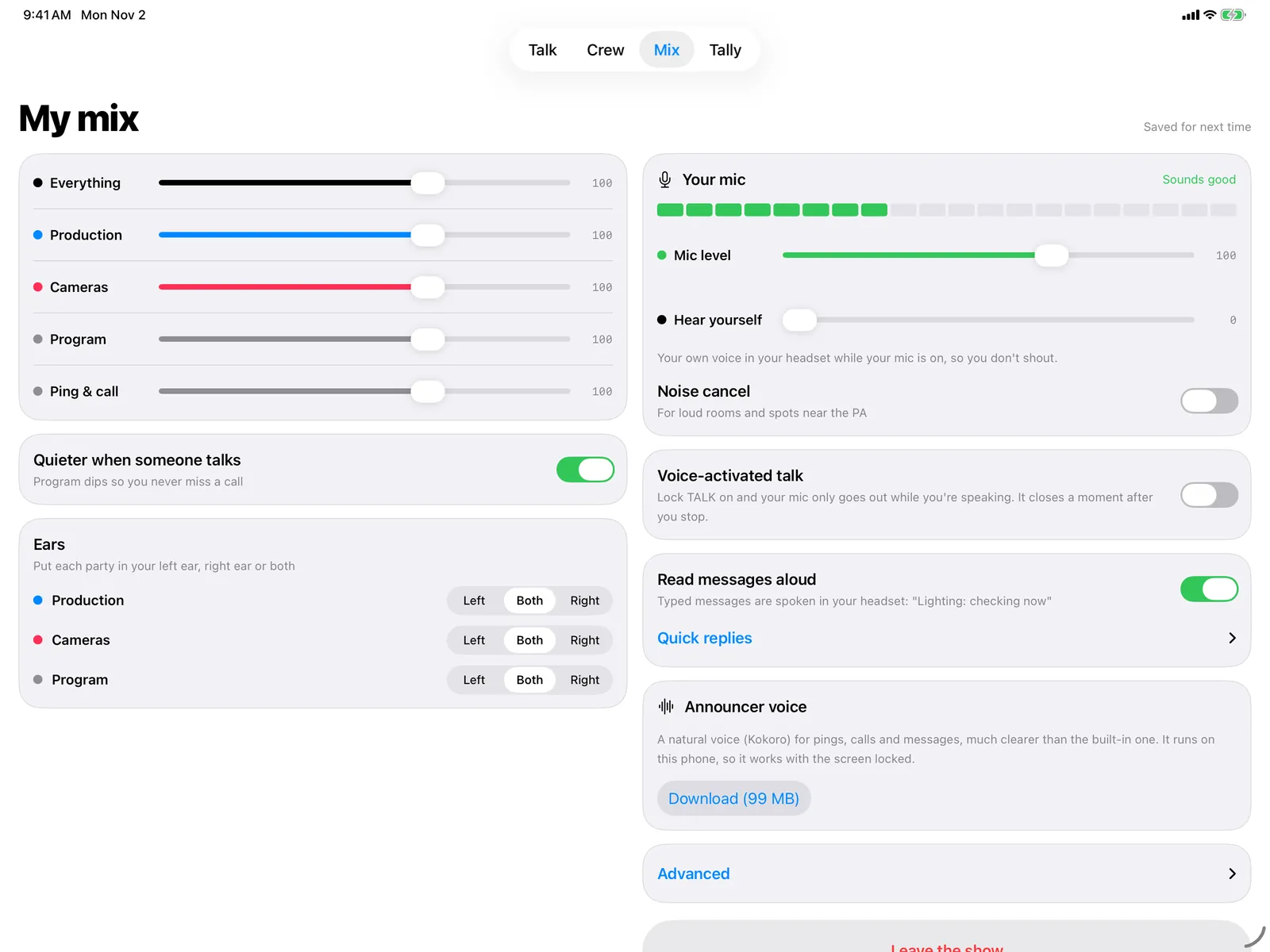
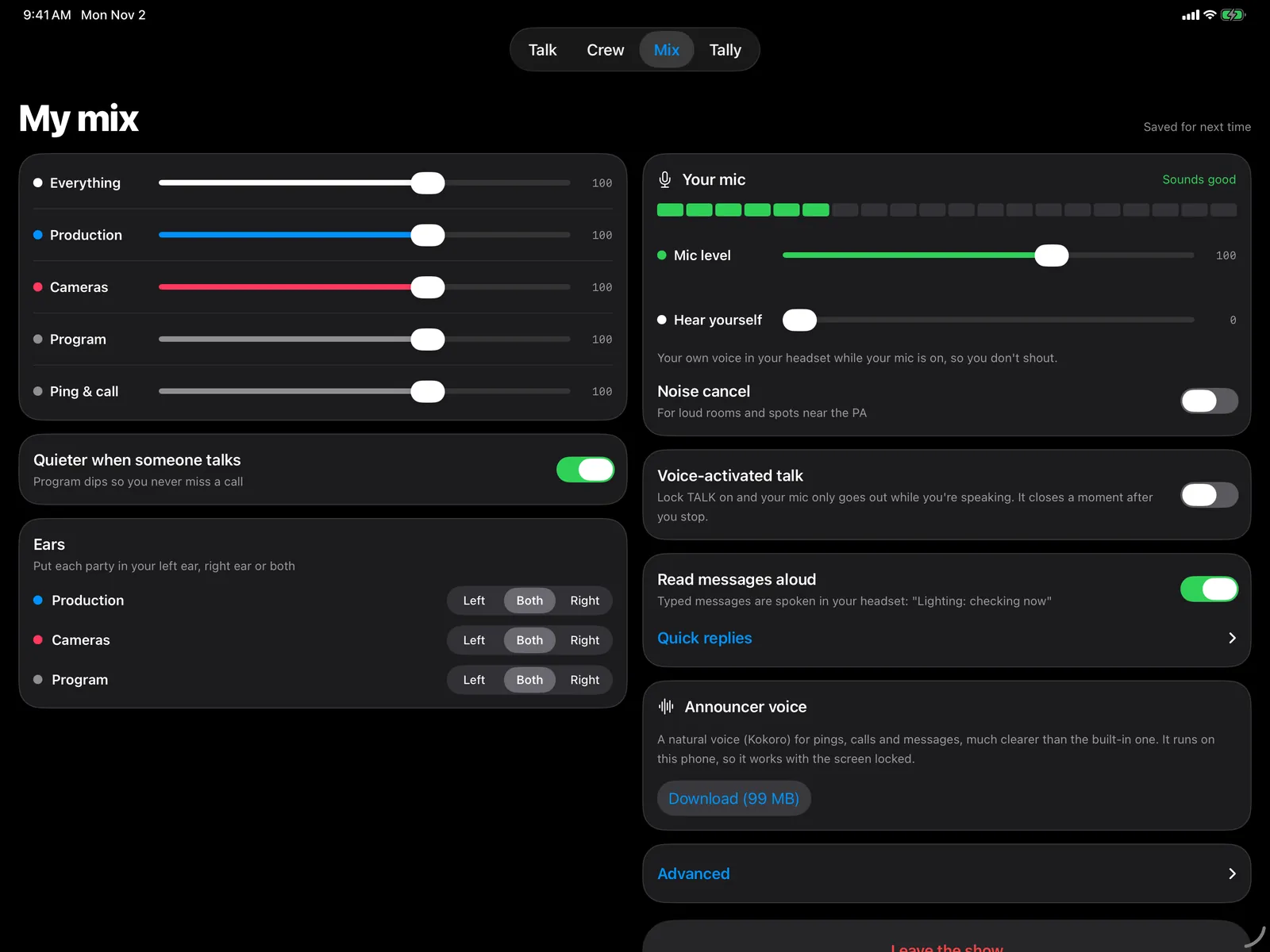
Each person sets the level of every party and the program feed. Program audio dips when someone talks, so nobody misses a call.
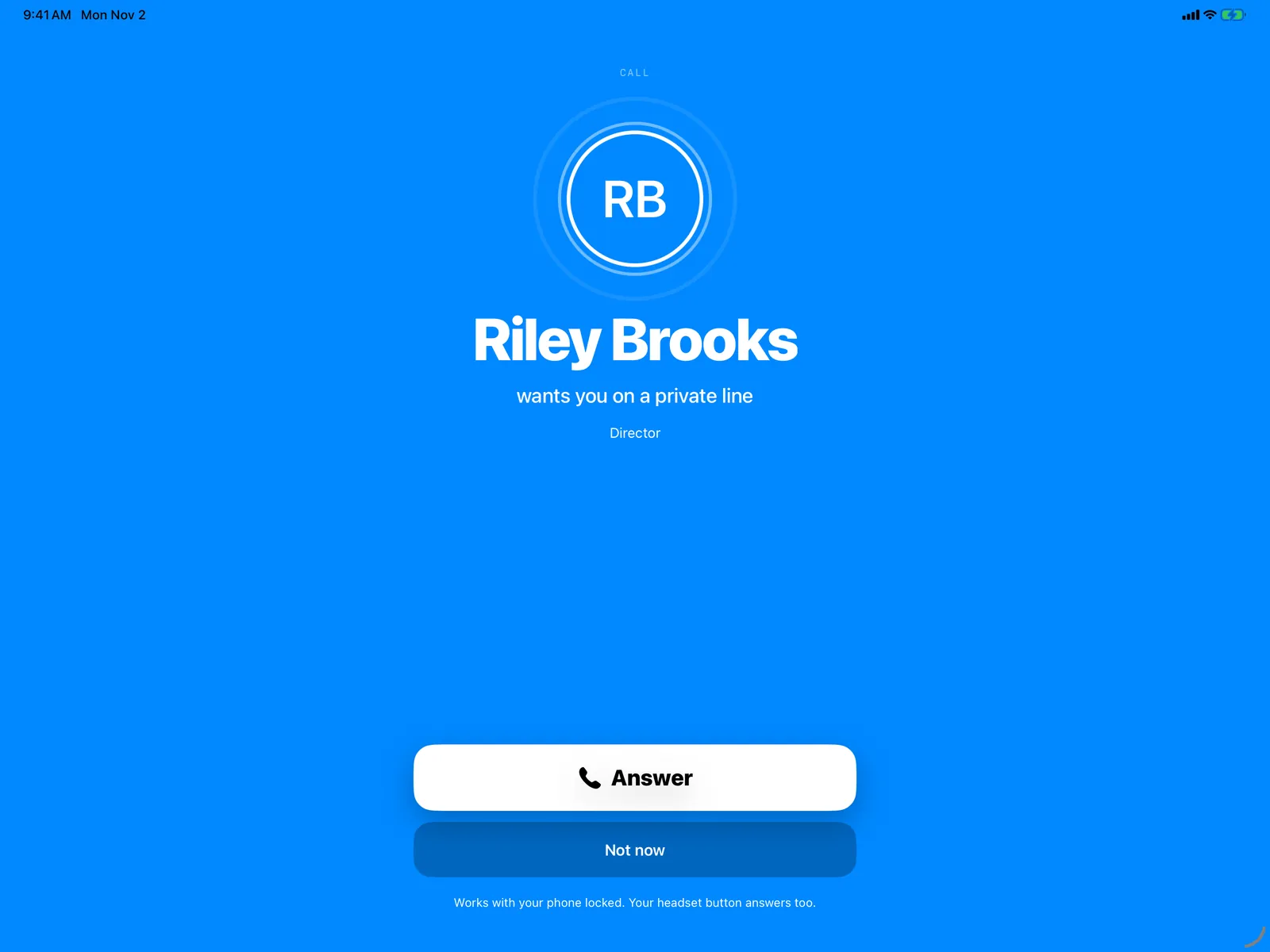
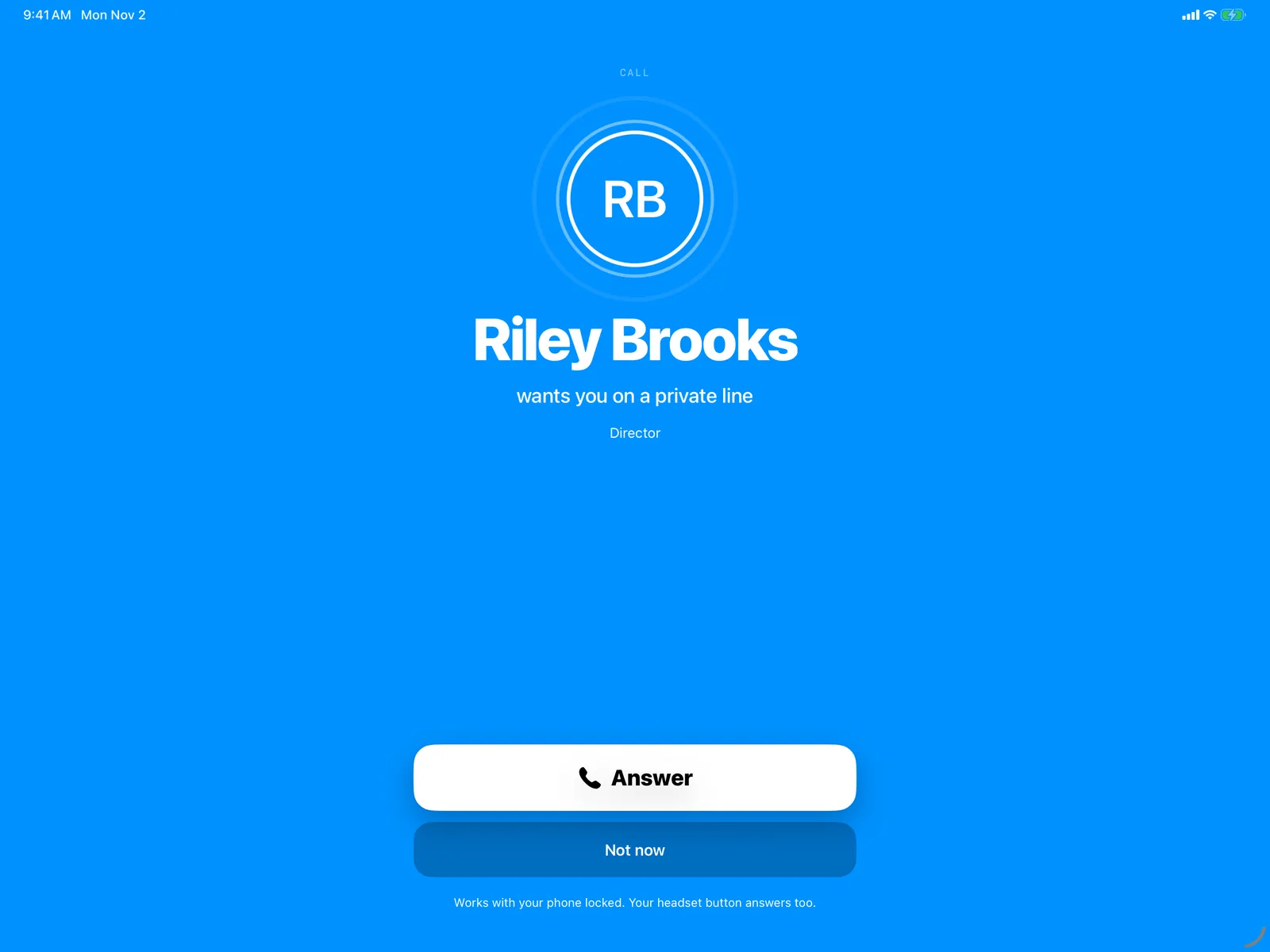
Ping someone and they hear a chime and your name. Call them and you get a private line until either of you hangs up. Their headset button answers.
Private by design
Voices go from each phone to your Hub, encrypted the whole way, and nothing is recorded.
Away from your Wi-Fi, audio passes through our relay still encrypted, so the relay can’t listen in.
Set up parties for any team (broadcast, security, event ops) and decide what each role hears when they join and where they can talk. Templates add a whole team at once.
Send show audio from any input your Mac sees: your ATEM’s USB audio, a capture device, a SoundGrid or Dante driver, or an audio interface.
Link each group of parties to a team. People see only the parties and crew of the teams they’re on.
Crew sign in with one login. Their role and camera come from today’s schedule in Teams.
Phones try the Hub on your Wi-Fi first, then reach it through our relay over cellular. You don’t open any ports on your router.
An optional download makes pings, calls, and read-aloud messages sound far clearer. It runs on the device, on iPhone, Android, and Apple silicon Macs.
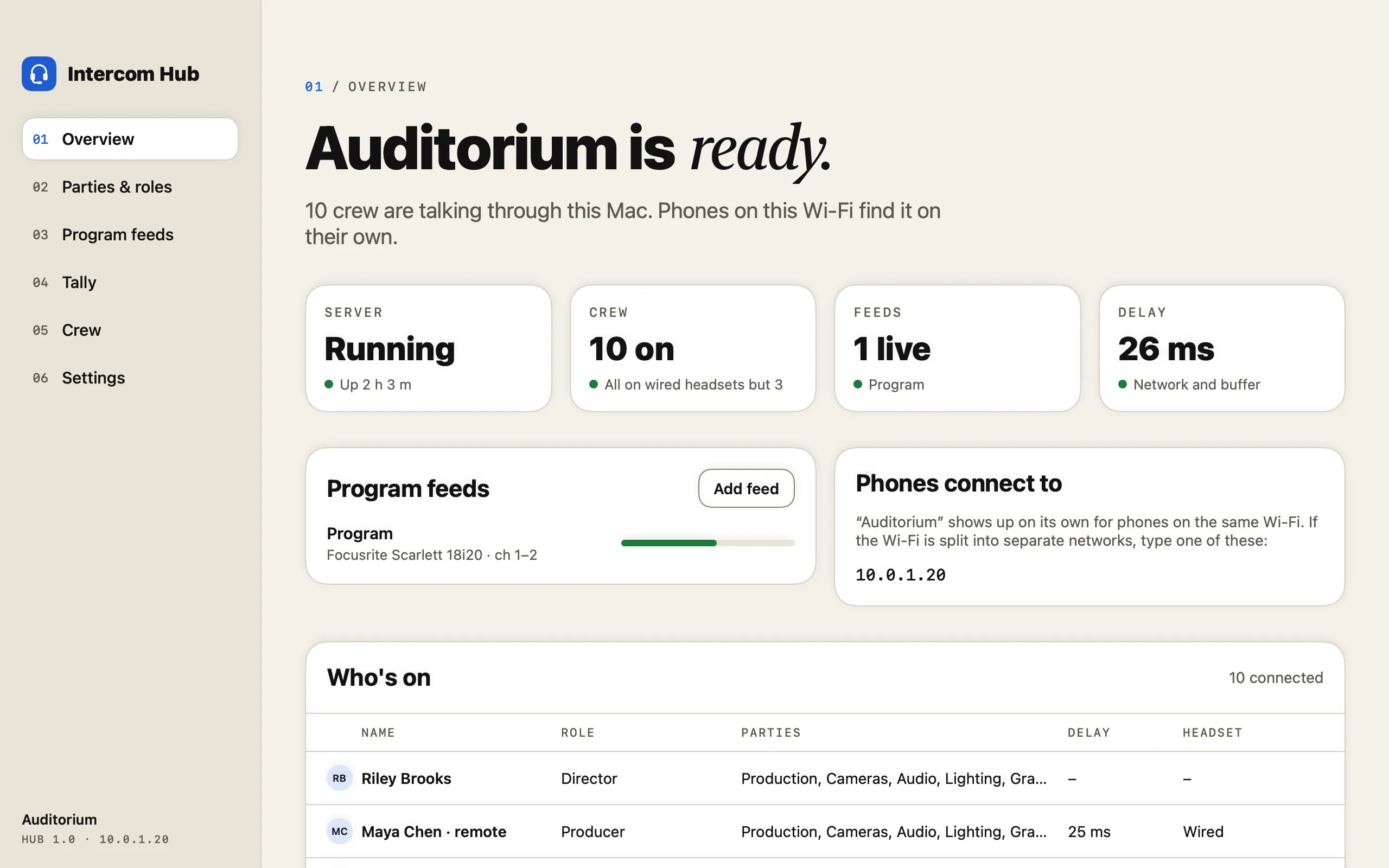
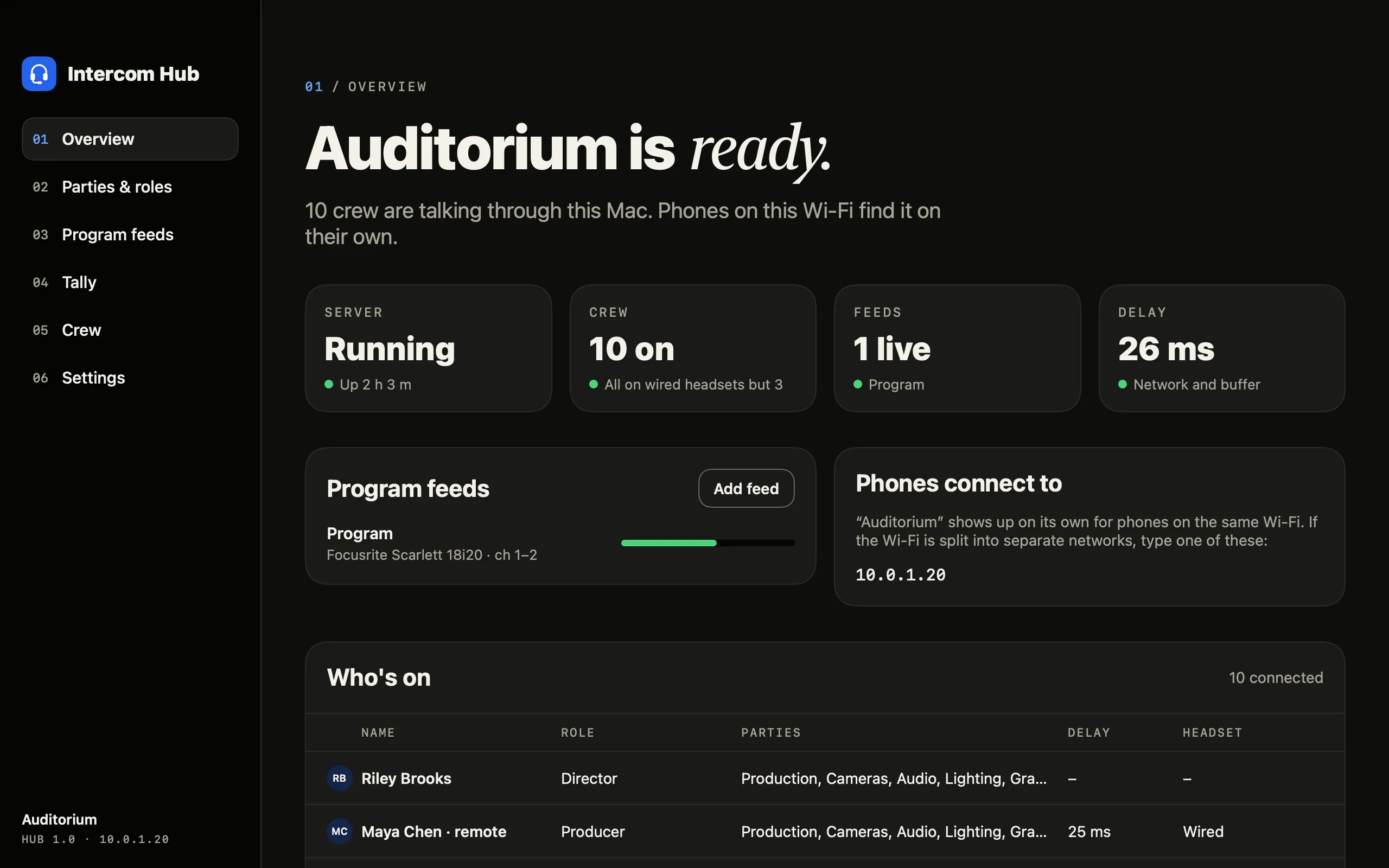
Install it on a Mac on your network. Your crew’s phones find it on the Wi-Fi.
They get the Intercom app and join, no account needed while you try it.
Create a free Culminate Life account, turn on Intercom for $25 a month, and link the Hub.
Put your crew on teams so they sign in, see their own parties, and connect from anywhere.
Install it on a Mac and try it with your crew, no account needed.
For your crewFor iPhone, iPad, and Android phones and tablets. While you try it, your crew join on your Wi-Fi without an account.
Every solution shares the same people records, so they work as one.
The teams, positions, and schedules Intercom is built on. Free for up to 50 people.
Explore TeamsEvery app in the Culminate Life family.
See the appsSend the show you just called to your app and website.
See streamingIntercom is $25 a month. It runs on Teams, which is free for up to 50 people, so most crews pay $25 a month in total. Teams with more than 50 people also pay for a Teams tier.
Yes. Download the Hub and your crew can join from their phones on your Wi-Fi with no account. The free preview has time limits; turn on Intercom to remove them.
No. You need a free Culminate Life account with Teams, so your crew have a login and the Hub knows who’s on which team. Everything else is optional.
A Mac on your network running the Intercom Hub (macOS 14 Sonoma or later, Apple silicon or Intel), and the Intercom app on your crew’s phones or tablets. A headset works best, and the phone speaker works too.
Not yet. Windows and Linux versions of the Hub are coming soon.
Yes. Phones connect straight to the Hub on your Wi-Fi, and when they can’t, they reach it through our relay over cellular. The Hub dials out to the relay, so you don’t change anything on your router.
Tally reads from Blackmagic ATEM switchers. Enter the switcher’s IP address in the Hub and you’re set.
Yes. On your Wi-Fi, they can ask to join, and a director lets them in and picks their role. A yes lasts for the day.
No. Voices stream live from each phone to your Hub, encrypted the whole way, and are never stored.
Try it free, then keep it for $25 a month.